Cold Email Deliverability Checklist 2026: Pre-Send QA Guide
Use our Cold Email Deliverability Checklist to pass SPF, DKIM, DMARC, warm up domains, boost inbox placement, and monitor spam. Start now.
TLDR: A cold email deliverability checklist is the pre-send quality control process that determines whether your outbound messages reach inboxes or land in spam. It covers authentication (SPF, DKIM, DMARC), domain setup, warmup, list hygiene, message content, compliance, and ongoing monitoring. Passing technical checks is necessary but not sufficient. Inbox placement also depends on domain reputation, sending behavior, recipient engagement, and whether your message is relevant enough to earn a reply.
Cold Email Deliverability Checklist (Quick Answer)
A cold email deliverability checklist is a pre-send verification process that ensures your emails reach the inbox instead of spam. It includes checking domain authentication (SPF, DKIM, DMARC), email infrastructure (MX, TLS, reverse DNS), list quality (verified leads and low bounce rates), sending behavior (warmup and gradual volume increases), message quality (plain text, minimal links, relevant targeting), and ongoing monitoring (spam rates, replies, and inbox placement tests). Passing technical checks alone is not enough—sender reputation, engagement, and list relevance determine actual inbox placement.
What Is a Cold Email Deliverability Checklist?
A cold email deliverability checklist is a structured quality-control process you run before launching or scaling outbound campaigns. It verifies that your emails are technically authenticated, sent from healthy infrastructure, aimed at valid and relevant recipients, written in a way that encourages engagement, and monitored for reputation problems.
The purpose is straightforward: make sure your cold emails actually reach inboxes.
This matters more than most teams realize. Validity’s 2025 benchmark found that global inbox placement was just 83.5%, with 6.7% of legitimate emails landing in spam and 9.8% going missing entirely. Roughly one in six emails never reaches the inbox, even from senders who believe their setup is correct.
Modern cold email deliverability is not a single DNS record. It is a system with multiple layers, and a failure at any layer can tank the entire campaign:
Compliance: Legal requirements and sender rules.
Identity: SPF, DKIM, DMARC, and alignment.
Infrastructure: MX, reverse DNS, TLS, and sending providers.
Reputation: Domain age, complaint rates, bounces, and sending history.
Relevance: ICP targeting, list quality, and message specificity.
Engagement: Replies, positive replies, and low spam reports.
Monitoring: Postmaster Tools, seed tests, DMARC reports, and blocklists.
Authentication lets you enter the building. Reputation and relevance decide whether you get to the inbox.
For a broader view of how deliverability fits into outbound strategy, see our cold outreach guide.
Cold Email Deliverability vs. Delivery vs. Inbox Placement
These three terms get confused constantly, and the confusion creates real blind spots.
Delivery means the receiving server accepted the email. The message was not bounced. But “delivered” does not mean “in the inbox.” It could be sitting in spam, junk, quarantine, or promotions.
Deliverability is the broader ability to get messages accepted and placed where recipients can actually see them. It encompasses authentication, reputation, content, sending behavior, and recipient engagement.
Inbox placement is the specific metric: what percentage of delivered emails land in the primary inbox instead of spam or other folders?
Most teams confuse delivery with inbox placement. Mailgun’s 2025 report found that only 12.3% of surveyed senders correctly identified delivery rate as the percentage of emails delivered to any folder. A full 50.9% incorrectly believed it meant emails reached the inbox.
Your sending tool’s dashboard might show a 98% delivery rate while half your emails sit in spam. If you are not testing inbox placement directly, you are flying blind.
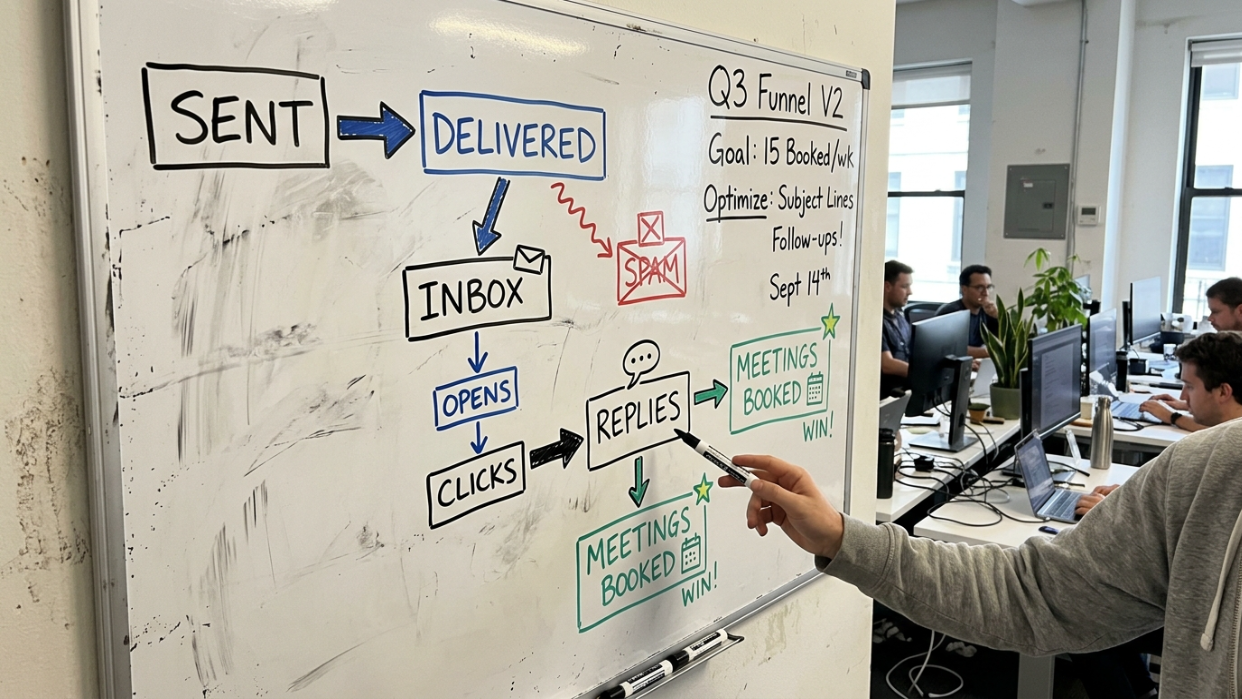
The cold email funnel before the sales funnel:
Sent
Accepted (delivery)
Inbox placed
Opened or read
Replied
Positive reply
Meeting booked
When a campaign underperforms, find which layer is broken first. Do not rewrite the copy if the messages never reached the inbox.
Key Differences in Email Metrics
| Metric | What It Means | Why It Matters |
|---|---|---|
| Delivery | Email accepted by server | Doesn’t guarantee inbox placement |
| Deliverability | Ability to reach inbox consistently | Includes reputation + engagement |
| Inbox Placement | % emails landing in inbox | True success metric for cold email |
Cold Email Deliverability Checklist Workflow (Step-by-Step)
Step 1: Validate Technical Setup
Ensure SPF, DKIM, and DMARC are correctly configured and passing alignment tests from real sent emails.
Step 2: Prepare Sending Infrastructure
Set up dedicated domains, real inboxes, MX records, and reverse DNS where applicable.
Step 3: Warm Up the Domain
Start with low daily volume and gradually increase sending over several weeks while monitoring engagement.
Step 4: Clean and Segment Your List
Verify emails, remove invalid addresses, and segment based on ICP relevance.
Step 5: Optimize Message for Engagement
Use plain text emails with short, relevant messaging and one clear call-to-action.
Step 6: Launch Small Test Campaigns
Send limited batches first and evaluate inbox placement before scaling.
Step 7: Monitor Deliverability Metrics
Track spam rate, bounce rate, reply rate, and inbox placement using seed testing tools.
The Complete Cold Email Deliverability Checklist
1. Domain and Sender Identity
Your sending domain is the foundation. Get this wrong and nothing else matters.
What to check:
Use a dedicated outbound domain or carefully managed subdomain. Do not risk your primary company domain with high-volume cold outbound.
Choose a domain name that is credible and brand-adjacent (e.g., tryacme.com or getacme.com for acme.com).
Set up inboxes with real names and complete profiles.
Configure MX records so the domain can receive replies.
Avoid sending serious outbound from domains less than a few weeks old.
Separate outbound, transactional, and customer-support email streams where possible.
Yahoo’s sender requirements explicitly recommend segregating email types by IP or DKIM domain because each one carries its own reputation that affects delivery.
Practitioners on Reddit consistently warn against using the primary business domain for cold outreach. One audit thread covering 47 cold email setups found that using the primary domain for cold sends was among the most common deliverability failures. The same discussion noted that a separate sending domain may not fully protect the brand if replies, tracking links, or MX configuration still route back through the main domain. Domain isolation needs to be thorough.
Why this matters: If your outbound domain generates spam complaints or bounces, that reputation damage stays with the domain. Keeping cold outbound separate protects your main business email.
2. SPF (Sender Policy Framework)
What it is: SPF is a DNS record that tells receiving servers which mail servers are authorized to send email on behalf of your domain. If a message arrives from an unauthorized server, mailbox providers treat it with suspicion.
What to check:
Publish exactly one SPF TXT record per sending domain.
Include every legitimate sending provider (Google Workspace, your outbound tool, etc.).
Avoid publishing multiple SPF records, which causes failures.
Stay within the 10-DNS-lookup limit.
Confirm SPF passes from an actual test email sent through your outbound tool.
Confirm the SPF-authenticated domain aligns with the visible From domain when needed for DMARC.
Google’s sender guidelines state that third-party senders not included in your SPF record are more likely to have their messages marked as spam.
Common mistake: Setting up SPF in a DNS checker but never verifying it from the actual sending tool. The authentication that matters is the one in the real message headers, not the one in your DNS dashboard.
3. DKIM (DomainKeys Identified Mail)
What it is: DKIM adds a cryptographic signature to each outgoing message. The receiving server checks this signature against a public key published in your DNS to verify that the message was authorized by your domain and was not altered in transit.
What to check:
Enable DKIM for every sending domain and sending tool.
Use at least a 1024-bit key. Google recommends 2048-bit where supported.
Confirm the DKIM selector resolves correctly in DNS.
Confirm DKIM passes in real message headers, not just in a lookup tool.
Confirm the DKIM signing domain (the
d=value) aligns with the visible From domain for DMARC purposes.
Microsoft’s authentication documentation explains that DKIM can validate messages that fail SPF due to forwarding, making it a critical backup authentication layer.
4. DMARC and Alignment
What it is: DMARC ties SPF and DKIM together. It checks whether the domain authenticated by SPF or DKIM aligns with the domain in the visible From header, and tells receiving servers what to do when that alignment fails: nothing (p=none), quarantine the message, or reject it.
What to check:
Publish a DMARC record for every sending domain.
Start with
p=nonefor monitoring if needed, but do not treat it as long-term protection.Add a
ruareporting address so you receive aggregate authentication reports.Confirm DMARC passes from the actual outbound tool.
Confirm From-domain alignment with either SPF or DKIM.
Move toward
p=quarantineorp=rejectwhen you have confidence in your setup.Do not assume SPF and DKIM passing means DMARC will pass.
This is where many setups break without anyone noticing. SPF can pass and DKIM can pass, but DMARC still fails if neither authenticated domain aligns with the visible From address. SPF alone does not check alignment with the From header. DKIM alone does not require the signing domain to match the From domain. DMARC addresses both of those gaps.
Google’s sender guidelines require bulk senders (above 5,000 messages per day to Gmail personal accounts) to set up DMARC with From-domain alignment. Yahoo requires the same for bulk senders, with at least a p=none policy.
Critical pre-send step: Send a real test email from your exact outbound tool. Open the message headers. Confirm SPF passes, DKIM passes, DMARC passes, the DKIM d= domain aligns with the visible From, and the tracking domain is yours (not a shared vendor default). This catches problems that DNS checkers miss entirely.
Apply to work with SalesPipe if you want senior operator help building outbound infrastructure from scratch.
5. MX, PTR/Reverse DNS, and TLS
These are the supporting infrastructure checks that most guides mention briefly but rarely explain.
MX record tells other mail servers where to deliver email for your domain. Without it, your sending domain cannot receive replies. That alone can hurt credibility with receiving servers.
PTR/reverse DNS maps a sending IP address back to a hostname. Google requires that the public sending IP has a PTR record resolving to a hostname, and that hostname must resolve back to the same IP.
TLS (Transport Layer Security) encrypts the connection between mail servers during transmission. Google requires TLS for all senders to Gmail.
What to check:
MX records are configured so the domain can receive replies.
Sending IP has valid PTR/reverse DNS (if you control your sending infrastructure).
Forward and reverse DNS match correctly.
TLS is enabled for transmission.
No shared infrastructure or blocklist issues on the sending IP.
If you use Google Workspace, Microsoft 365, or a reputable sending platform, most of these are handled automatically. But verify anyway.
6. Warmup and Sending Volume
What it is: Warmup is the process of gradually building sending history and engagement for a new domain, mailbox, or IP before sending higher cold email volume. Skipping it is one of the fastest ways to land in spam.
What to check:
Start with low daily volume (many operators begin with 5 to 10 per mailbox per day).
Ramp gradually over weeks, not days.
Avoid sudden volume spikes.
Keep sending patterns human. Do not send the exact same number at the exact same time every day.
Pause or reduce volume if bounces, deferrals, spam placement, or complaints rise.
Continue warmup engagement even after launching live campaigns.
Google recommends starting with low volume, sending to engaged users first, slowly increasing, and monitoring server responses as volume grows. Microsoft notes that new IPs lack reputation and are more likely to experience deliverability issues until that reputation is built.
How much volume per mailbox? There is no universal number. LinkedIn practitioners like Yurii Veremchuk suggest capping first-touch sends around 25 emails per day per inbox. Others recommend even lower starting points. Your safe limit depends on domain age, reputation, list quality, reply rate, and the mix of mailbox providers you are sending to.
One practical formula from operators who send at scale: divide your daily send target by 50 to get the number of inboxes you need, and by 100 for the number of domains. These are directional heuristics, not rules.
Practitioners on Reddit report that fresh domains with correct SPF, DKIM, and DMARC, plain text, no links, no tracking, and warmup running can still land in spam on Gmail if the domain lacks interaction history. Authentication is necessary, not sufficient. New domains still need age, stable sending behavior, real engagement, and clean lists.
For more on structuring follow-up sequences alongside warmup, see our guide on email sequences.
7. List Quality and Targeting

Bad data is not just a sales problem. It is a deliverability problem. Every hard bounce, every spam complaint, and every ignored message chips away at your domain reputation.
What to check:
Verify every email address before sending.
Remove invalid addresses and hard bounces immediately.
Separate catch-all and risky addresses into their own segment, or exclude them.
Remove role-based addresses (info@, sales@) unless you have a specific reason to include them.
Suppress unsubscribes immediately across all tools and inboxes.
Segment by ICP: role, industry, geography, company size, and buying trigger.
Do not send to broad scraped lists without qualification.
Review each data source by its bounce rate and reply rate.
Gartner’s 2025 survey found that 73% of B2B buyers actively avoid suppliers who send irrelevant outreach. That avoidance shows up in your metrics as ignores, deletes, and spam reports, all of which hurt sender reputation over time.
The cold email community has shifted on this. A 2026 Reddit thread in r/coldemail noted that cold email feels harder than it did two or three years ago, and the consensus has moved away from pushing more volume toward smaller batches, tighter targeting, simpler copy, and more conversation-focused emails.
The best deliverability checklist is also a targeting checklist. Better ICP selection reduces bounces, spam complaints, non-response, and sequence fatigue.
8. Message Content
What your email looks like and says directly affects whether mailbox providers filter it and whether recipients engage with it.
What to check:
Use plain text for first-touch cold emails. No heavy HTML, no images, no attachments.
Keep messages short. Instantly’s 2026 benchmark found that top-performing campaigns combine emails under 80 words with single CTAs and problem-first positioning.
Stick to one idea per email.
Avoid misleading subject lines.
Use a minimal email signature.
Ask one simple, relevant question that is easy to answer.
Avoid fake personalization (inserting a company name into a template is not personalization if the message is still generic).
Avoid spammy urgency, deceptive claims, and excessive exclamation marks.
Remove unnecessary links from the first email.
LinkedIn practitioners like Priyansh Malik recommend no open tracking, no fancy formatting, and no links, images, or PDFs in the first email. The reasoning: tracking pixels and shared tracking domains create automation fingerprints that mailbox providers can detect. Reply rate and inbox placement tests tell you more than open rate ever will.
Raphaël Tourenq, another LinkedIn practitioner, lists plain-text first touch, minimal signature, and randomized sending behavior as standard 2026 cold email practice.
For guidance on writing cold emails that earn replies, see writing effective cold emails. For formatting specifics, our cold email structure guide walks through what works.
9. Unsubscribe and Compliance
Compliance is not optional, and it is not just about avoiding fines. Easy opt-out handling protects your sender reputation.
What to check:
Include a clear opt-out path in every cold email.
Use List-Unsubscribe headers when applicable.
For marketing and promotional messages at bulk-sender volume, implement one-click unsubscribe per RFC 8058. Google’s sender FAQ specifies that mailto-only or body-link-only approaches do not meet the one-click requirement.
Honor unsubscribes quickly. Yahoo requires unsubscribes to be processed within two days.
Maintain a suppression list that syncs across all tools and inboxes.
Include a valid physical postal address for U.S. commercial email.
Do not re-email unsubscribed contacts from another sequence, inbox, or domain.
Do not make recipients jump through hoops to opt out.
An important compliance note: the FTC states that CAN-SPAM covers all commercial messages and “makes no exception for business-to-business email.” Each separate violating email can be subject to penalties of up to $53,088. FTC’s compliance guide is worth reading for anyone running B2B cold outbound in the U.S.
Google also recommends keeping user-reported spam below 0.1% and says rates at or above 0.3% have a greater negative impact on inbox delivery. A 0.3% spam rate is only 3 complaints per 1,000 delivered emails. For cold outbound, that leaves almost no room for irrelevant targeting.
10. Monitoring
Setting up authentication and launching a campaign is not the finish line. Deliverability degrades over time if you are not watching.
What to check:
Google Postmaster Tools: Monitor spam rate, domain reputation, IP reputation, and authentication results.
Microsoft SNDS / sender support: Monitor Outlook and Microsoft 365 placement separately.
Yahoo Complaint Feedback Loop: Track and manage spam complaint rates for Yahoo recipients.
Inbox placement tests: Run seed tests across Gmail, Outlook/Microsoft 365, Yahoo, and business security gateways. This is the only way to know where your emails actually land.
Bounce rate: Watch for spikes that indicate list quality problems.
Spam complaint rate: Keep it below 0.1%. Never let it reach 0.3%.
Reply rate and positive reply rate: Practitioners on Reddit argue that reply rate matters more than open rate because mailbox providers care whether recipients respond, not just whether they open.
Unsubscribe rate: Rising unsubscribes signal poor targeting or messaging.
Domain and IP blocklists: Check regularly. Reddit operators note that many teams monitor IP blocklists while ignoring domain blocklists, which can be equally damaging.
DMARC reports: Review aggregate reports from the
ruaaddress to catch authentication failures.Segment-level performance: Break results down by list source, ICP segment, and mailbox provider.
Here is the uncomfortable truth about monitoring: Mailgun found that only 13.3% of surveyed senders use inbox placement reports. Even among organizations sending more than one million emails per month, only about one in four conduct inbox placement testing. Most teams think they are monitoring deliverability when they are actually monitoring proxies.
Why “Green DNS” Does Not Mean Good Deliverability
This is the most common misconception in cold outbound. Teams run a DNS checker, see green checkmarks for SPF, DKIM, and DMARC, and assume their cold email deliverability checklist is complete. It is not.
Green DNS means:
SPF exists and resolves.
DKIM signs messages.
DMARC passes alignment.
The message is technically authenticated.
Green DNS does not mean:
Your domain has trust with mailbox providers.
Your list is clean.
Your emails are wanted.
Gmail or Microsoft will place you in the inbox.
Your reply rate will be healthy.
Microsoft’s sender documentation explains that filtering is influenced by sending IP, domain, authentication, list accuracy, complaint rates, content, and more. Authentication is one factor among many.
A practitioner on Reddit demonstrated this vividly: they had Google Workspace, low daily volume, SPF/DKIM/DMARC correctly configured, and ran placement tests. Microsoft placed 100% of their test emails in the inbox. Google placed only 3.36% in the inbox and 96.64% in spam. Same sender, same authentication, completely different results by provider.
SPF, DKIM, and DMARC are the floor, not the strategy. They prove you are allowed to send as that domain. They do not prove your emails are wanted.
Why Cold Emails Go to Spam (Most Common Causes)
| Problem Area | Example Issue | Impact |
|---|---|---|
| List Quality | Scraped or unverified emails | High bounce rate, domain damage |
| Reputation | Too many spam complaints | Inbox placement drops |
| Authentication | SPF/DKIM misalignment | DMARC failure, filtering |
| Content | Too many links or HTML | Spam filter trigger |
| Sending Behavior | Sudden volume spike | Reputation shock |
| Engagement | No replies | Long-term inbox decline |
Why B2B Cold Email Often Breaks at Microsoft
Most cold email guidance focuses on Gmail, but Microsoft is often the harder challenge for B2B senders.
Validity’s 2025 benchmark found Microsoft was the toughest major mailbox provider, with inbox placement of 75.6%. For B2B specifically, Office 365 showed 85.2% inbox placement and Google Apps showed 83.1%.
This matters because many B2B target lists are heavy with Microsoft 365 and Outlook-hosted companies. If you are only running Gmail seed tests, you are missing where a large portion of your B2B audience actually reads email. Test across providers, not just the ones that are easiest to check.
Apply to work with SalesPipe if you need help building an outbound system that accounts for provider-specific deliverability.
Troubleshooting: What to Check When Cold Emails Hit Spam
When your cold email deliverability checklist items are all “passing” but results are still poor, use this diagnostic framework to identify the actual problem:
| Symptom | What it usually means | What to check first |
|---|---|---|
| High hard-bounce rate | Bad or stale list | Email verification, source quality, catch-all handling |
| Low delivery rate | Server rejection or blocklist | SMTP error codes, SPF/DKIM/DMARC, blocklists |
| Good delivery but low opens/replies | Spam placement or poor relevance | Seed test, reply rate, ICP quality, message quality |
| Gmail spam but Microsoft inbox | Provider-specific reputation issue | Gmail seed test, Google Postmaster Tools, domain age |
| Microsoft spam but Gmail inbox | Outlook filtering or security gateway | Microsoft SNDS, Proofpoint/Mimecast check |
| SPF/DKIM pass but DMARC fails | Alignment problem | Visible From, return-path, DKIM d=, tool headers |
| Sudden drop after scaling | Volume ramp too aggressive | Daily send volume, complaints, bounces, deferrals |
| Open rates fine but no replies | Tracking noise or bad targeting | Disable open tracking, measure human replies, audit ICP |
| Complaints spike | Poor ICP or misleading message | Pause segment, tighten list, rewrite offer |
| Everything passes but still spam | Reputation or engagement problem | Reduce volume, narrow list, remove tracking, rebuild |
The pattern is clear. Most deliverability failures are not pure DNS problems. They are data problems, targeting problems, or reputation problems that DNS checks cannot detect.
The Pre-Send QA Checklist (Copy-Paste Version)
Use this as your operational cold email deliverability checklist before every campaign launch.
Before sending from a new domain:
[ ] Dedicated outbound domain, not the primary company domain
[ ] Credible domain name close to the brand
[ ] Real inboxes with complete profiles
[ ] MX records configured for receiving replies
DNS and authentication:
[ ] SPF exists, includes the sending provider, only one record
[ ] DKIM enabled with at least 1024-bit key, selector resolves
[ ] DMARC published with
ruareporting address[ ] DMARC passes from a real test send through the actual outbound tool
[ ] Visible From aligns with SPF or DKIM for DMARC
[ ] PTR/reverse DNS valid (if controlling send infrastructure)
[ ] TLS enabled
List and targeting:
[ ] Every email verified
[ ] Hard bounces and risky contacts removed
[ ] Catch-all addresses segmented or limited
[ ] List narrowed by ICP (role, industry, size, geography, trigger)
[ ] Reason for outreach is specific and relevant
[ ] Suppression lists synced across all tools
[ ] Customers, competitors, unsubscribes, and excluded accounts suppressed
Message:
[ ] Plain text first touch
[ ] No attachments, unnecessary links, heavy HTML, or images
[ ] One clear idea, one simple CTA
[ ] Subject line matches the message content
[ ] No fake personalization or deceptive claims
[ ] Minimal signature
[ ] Clear opt-out language
Sending behavior:
[ ] Starting volume is low (5 to 25 per mailbox per day)
[ ] Ramp plan spans weeks, not days
[ ] No sudden volume spikes
[ ] Sends spread during business hours with variation
[ ] No scaling until placement, bounce, complaint, and reply metrics are stable
Monitoring:
[ ] Google Postmaster Tools active
[ ] Microsoft and Yahoo monitoring active where applicable
[ ] Seed tests run across Gmail, Microsoft 365, Yahoo, and business gateways
[ ] Bounce rate tracked
[ ] Spam complaint rate tracked (target below 0.1%)
[ ] Human reply rate tracked
[ ] Positive reply rate tracked
[ ] Domain and IP blocklists checked
[ ] DMARC reports reviewed
[ ] Provider-specific performance investigated
Cold Email Deliverability Glossary
Quick-reference definitions for every key term in this checklist.
SPF (Sender Policy Framework): A DNS record listing which servers can send email for your domain. Broken or missing SPF makes messages look unauthorized.
DKIM (DomainKeys Identified Mail): A cryptographic signature proving the message was authorized by the sending domain and was not altered in transit.
DMARC: A policy that checks SPF/DKIM alignment with the visible From domain and tells receiving servers what to do when authentication fails.
DMARC alignment: The visible From domain must match, or organizationally align with, the domain authenticated by SPF or DKIM.
MX record: DNS record directing where email for your domain should be delivered. Without it, your domain cannot receive replies.
PTR / reverse DNS: A reverse lookup mapping a sending IP back to a hostname. Mailbox providers use it as a trust signal.
TLS: Encryption used when mail servers transmit email to each other.
Sender reputation: A trust score built from domain history, IP history, complaint rates, bounces, engagement, and sending behavior.
Domain reputation: The trust mailbox providers associate with your domain based on past sending behavior and recipient response.
IP reputation: The trust associated with the sending IP address. On shared IPs, other senders’ behavior can affect you.
Inbox placement: The percentage of accepted emails landing in the inbox instead of spam, junk, quarantine, or promotions.
Delivery rate: The percentage of emails accepted by recipient servers. This does not prove inbox placement.
Bounce rate: The percentage of emails rejected or undeliverable. Hard bounces typically mean invalid addresses.
Spam complaint rate: The percentage of recipients marking your email as spam. Google recommends staying below 0.1%.
List-Unsubscribe: An email header letting mailbox providers show an unsubscribe option. One-click unsubscribe (RFC 8058) is required for certain bulk promotional mail to Gmail and Yahoo.
Seed test: A test send to monitored mailboxes across providers to see where messages actually land.
Warmup: Gradual sending and engagement buildup for a new domain, mailbox, or IP before ramping to full volume.
Inbox rotation: Spreading outbound volume across multiple inboxes and domains to avoid overloading any single mailbox.
Suppression list: Contacts who should never be emailed: unsubscribes, hard bounces, customers, competitors, and excluded accounts.
Tracking pixel: A tiny invisible image used to detect email opens. It can create privacy, accuracy, and deliverability issues in cold outbound.
Custom tracking domain: A branded domain used for click or open tracking instead of a shared vendor default, reducing automation fingerprints.
The Three Deliverability Scoreboards
Most teams stop at the technical scoreboard. That is a mistake.
1. Technical scoreboard: SPF, DKIM, DMARC, MX, PTR/reverse DNS, TLS. These confirm your emails are authenticated. Necessary but not sufficient.
2. Reputation scoreboard: Bounce rate, complaint rate, blocklists, domain reputation, sender history, volume stability. This is where most failures actually happen.
3. Revenue scoreboard: Human reply rate, positive reply rate, meetings booked, opportunities created, pipeline generated. This is the reason cold email exists.
A founder or GTM leader should not stop at a 10/10 mail-tester score. The purpose of a cold email deliverability checklist is not a perfect technical grade. It is qualified conversations.
When cold email stops producing conversations, the fix is rarely another DNS record. It is usually better targeting, cleaner data, tighter messaging, and disciplined sending behavior. Cold email also should not be your only outbound channel. For teams where email deliverability is fragile, LinkedIn prospecting can create warmer touches and reduce reliance on inbox placement alone.
Common Cold Email Deliverability Mistakes
Sending cold email from a brand-new domain without warmup
Using scraped or unverified email lists
Relying only on SPF/DKIM setup without monitoring reputation
Adding too many links or tracking pixels in cold emails
Scaling volume too quickly
Ignoring reply and spam complaint rates
Not segmenting by ICP relevance
Using the same message for all audiences