Why Cold Email Goes to Spam: 12 Reasons and Fixes (2026)
Learn why cold email goes to spam in 2026 and how to fix it. Get 12 proven technical fixes: auth, warmup, volume, list quality—to reach the inbox.
TL;DR
Most cold emails land in spam because of broken infrastructure, not bad copy. Missing DNS authentication records, new domains with zero reputation, sending too many emails too fast, and dirty contact lists are the primary culprits. Gmail and Microsoft tightened enforcement significantly between 2024 and 2026, blocking millions of accounts and rejecting non-compliant messages outright. Fix your technical foundation first, then worry about your subject lines.
Direct Answer: Why Cold Emails Go to Spam (2026)
Cold emails go to spam primarily due to technical and reputation issues, not subject lines or copy quality. The most common causes are missing email authentication (SPF, DKIM, DMARC), low sender reputation from new domains, sending too many emails too quickly, poor list quality causing high bounce rates, and strict spam complaint thresholds enforced by Gmail and Microsoft.
In 2026, inbox providers prioritize authentication, engagement history, and sending behavior over content, meaning even well-written emails will be filtered if the infrastructure is weak.
What Changed in Cold Email Deliverability in 2026

Cold email deliverability is significantly stricter in 2026 due to updated Gmail and Microsoft enforcement policies. These changes prioritize spam prevention at the infrastructure level.
Key updates include:
Stronger enforcement of SPF, DKIM, and DMARC alignment
Lower spam complaint thresholds (as low as 0.1% in practice)
Domain aging requirements for new senders (14+ days minimum)
Increased use of AI-based pattern detection (not just keyword filtering)
Higher penalties for sudden sending spikes or inconsistent behavior
These updates mean cold email is now behavior-driven rather than content-driven—your sending patterns matter more than your wording.
The Problem Isn’t Your Subject Line
Your open rate is stuck at 4%. You’ve rewritten the subject line five times. You’ve shortened the email, swapped the CTA, and tested three different openers. Still spam.
Here’s what most people get wrong: they blame copy when the problem is invisible. According to FirstSales.io, 58% of all email lands in spam folders, not because of bad content, but because of bad infrastructure. That number isn’t a rounding error. It means more than half of all outbound email never gets a fair shot at the inbox.
The average cold email response rate has dropped from 8.5% in 2019 to just 3.43% in 2026. Inbox saturation, AI-powered spam filters, and tighter provider enforcement have made the game harder. But teams that understand why cold email goes to spam, and fix the root causes, still consistently book meetings.
This isn’t a list of surface-level tips. These are the 12 real reasons your cold emails hit spam, each paired with the technical explanation and the fix.
Need help building outbound infrastructure that actually reaches inboxes? Apply to work with SalesPipe for founder-led execution on deliverability, targeting, and pipeline generation.
At-a-Glance: The 12 Reasons Cold Emails Go to Spam
| # | Reason | Category | Severity | Fix Difficulty |
|---|---|---|---|---|
| 1 | Missing/broken SPF, DKIM, DMARC | Authentication | Critical | Easy (5-30 min) |
| 2 | No sender reputation (new domain) | Reputation | Critical | Medium (14-30 days) |
| 3 | Sending too many emails too fast | Volume | High | Easy |
| 4 | Using primary domain for outbound | Infrastructure | High | Easy ($12/year) |
| 5 | Dirty contact lists | Data quality | High | Medium |
| 6 | Spam complaint rate too high | Reputation | Critical | Medium |
| 7 | Email content looks like a template | Content | Medium | Medium |
| 8 | No custom tracking domain | Infrastructure | Medium | Easy (10 min) |
| 9 | Gmail/Microsoft enforcement changes | Compliance | Critical | Varies |
| 10 | Not sunsetting non-responders | Behavioral | High | Easy |
| 11 | Weak ICP targeting | Strategy | High | Medium |
| 12 | Single-channel reliance | Strategy | Medium | Medium |
Quick Cold Email Deliverability Diagnosis Flow
Use this flow to identify why your emails go to spam:
Step 1: Authentication Check
→ SPF, DKIM, DMARC missing? → Fix immediately
Step 2: Domain Health
→ New domain (<14 days)? → Warm up before sending
Step 3: Sending Behavior
→ Sending >50 emails/day per inbox? → Reduce volume
Step 4: List Quality
→ Bounce rate >2%? → Clean your list
Step 5: Reputation Signals
→ High complaints or low engagement? → Improve targeting
Step 6: Content Check
→ Template-like or spammy language? → Rewrite for 1-to-1 tone
1. Missing or Misconfigured SPF, DKIM, and DMARC Records
This is the single most common technical reason cold email goes to spam, and it’s often a five-minute fix.
SPF, DKIM, and DMARC are three DNS records that prove your email is legitimate. Without them, Gmail and Outlook have no way to verify that you are who you claim to be. Their default assumption? You’re a spammer.
The data is clear. A TrulyInbox analysis of 32,000 accounts found that fully authenticated domains (SPF + DKIM + DMARC enforced) achieve 2.7x higher inbox placement than unauthenticated ones. That gap is massive: 85-95% inbox placement versus sub-50%.
Practitioners confirm this is the first thing to check. LeadGrow, which has managed over 1,626 cold email campaigns, reports that about 40% of the time when a client arrives with deliverability problems, the fix is a DNS record that’s wrong or missing.
Common mistakes that kill authentication:
Publishing two SPF TXT records on the same domain. If you have two, both become invalid. This is the number one setup mistake in cold email infrastructure.
Adding a DKIM DNS record but forgetting to enable DKIM signing in your email admin panel. The record alone isn’t enough.
Jumping straight to DMARC p=reject before monitoring reports, which can cause legitimate emails to bounce.
Exceeding the SPF 10-lookup limit. Every
include,a,mx,ptr,exists, orredirectin an SPF record counts toward a 10-lookup cap per RFC 7208. Exceeding it returns a PermError, and SPF fails silently. Most guides don’t mention this, but cold emailers who use multiple sending services are uniquely vulnerable.
The fix: Audit all three records using MXToolbox. Make sure SPF includes all sending services in a single record without exceeding 10 lookups. Confirm DKIM is activated in your admin panel. Start DMARC at p=none, monitor aggregate reports for 2-4 weeks, then move to p=quarantine. For a deeper walkthrough on setting up your cold outreach infrastructure, start with authentication before anything else.
2. No Sender Reputation (Brand-New or Cold Domain)
Gmail and Outlook assign sender reputation scores to every domain and IP address. A new inbox, regardless of perfect DNS configuration, has zero reputation. Zero reputation doesn’t mean neutral. It means untrusted.
This is arguably the most overlooked reason why cold email goes to spam. Teams buy a fresh domain, set up authentication correctly, load a list, and start sending on day one. The result? Spam folder from the first email.
Microsoft made this even harder in 2026. Their updated policy doubled the minimum domain age requirement. New domains now need at least 14 days of aging before a single cold email goes out. A 7-day-old domain used to survive first sends. Not anymore.
But 14 days is the minimum, not the recommendation. Practitioners at BuzzLead report that domains warmed for 21-30 days before sending show meaningfully better deliverability than those rushed into production at 14 days.
Microsoft’s ML-based engagement monitoring also flags accounts with open rates below 8% sustained over 72 hours of sending. Fresh inboxes almost always fail this test because they have no engagement history and no positive signals to draw from.
The fix: Warm every new domain for 14-30 days using warmup tools before any cold outreach. Start at 5-10 emails per day during warmup. Keep warmup running continuously, even during active campaigns, to maintain positive engagement signals. Don’t skip this step, even if your authentication is perfect.
3. Sending Too Many Emails Too Fast
Volume is the third rail of cold email deliverability. Sending 200 emails per day from a new mailbox in 2026 will land you in spam within a week, period.
Both Google and Microsoft monitor sending velocity changes. A sudden jump from 20 emails per day to 200 triggers automated abuse detection. According to Litemail.ai, anything more than a 30-50% day-over-day increase on an inbox under 90 days old is a risk.
The safe daily send limit per warmed mailbox in 2026 is 30-50 cold emails. Going above this consistently triggers spam filters and damages domain reputation, even with perfect authentication.
The domain math: Each domain supports 2-3 mailboxes. Each mailbox caps at around 30 cold emails per day. If you need to send 1,000 emails daily, you need roughly 14 domains. That sounds like a lot, but it’s the cost of doing outbound right.
The fix: Cap at 30-50 emails per mailbox per day. Use mailbox rotation across multiple secondary domains. Ramp volume gradually. If you need higher volume, add more sending infrastructure rather than pushing individual mailbox limits.
4. Using Your Primary Business Domain for Cold Outreach
This is the mistake that keeps giving. Teams send cold outreach from their primary corporate domain (company.com), and when things go sideways, their entire organization’s email deliverability degrades. Internal emails start hitting spam. Client communication gets flagged. It’s a preventable disaster.
One outbound consultant described it well: using your main corporate domain for aggressive outbound, then acting surprised when the entire organization’s deliverability degrades, is like using your house as a crash-test dummy for high-volume experimentation.
The fix: Buy 2-3 secondary domains that are close variants of your brand (e.g., getcompany.com, trycompany.com). Forward them to your main website. Set up separate SPF, DKIM, and DMARC on each. Secondary domains cost about $12 per year. That’s cheap insurance against destroying the email reputation your entire company depends on.
Building outbound infrastructure from scratch is complex. SalesPipe handles technical setup, including inbox and domain configuration, warming, and deliverability protection, so your team can focus on selling.
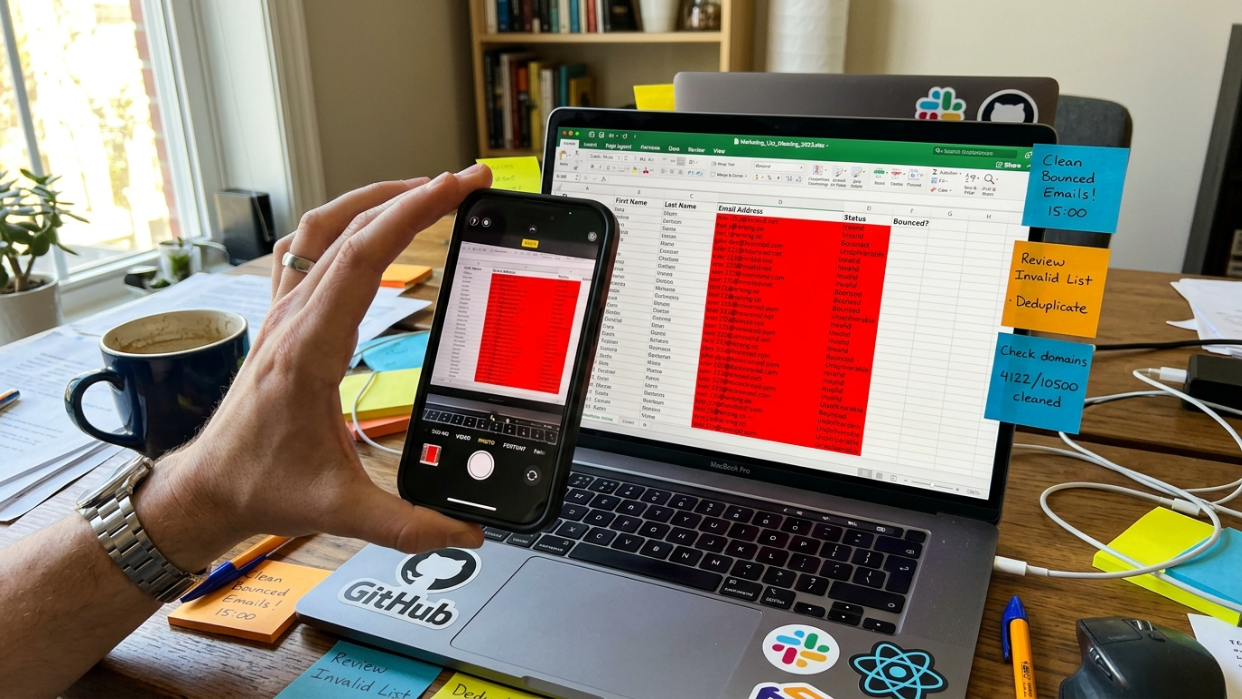
5. Dirty Contact Lists (High Bounce Rates)
Bad data creates bounces. Bounces spike complaints. A high complaint rate gets you blocklisted. And once you’re blocklisted, your messages are spam, technically, operationally, and reputationally.
The threshold is tighter than most people realize. Google, Yahoo, and Microsoft now enforce bulk sender rules requiring bounce rates under 2%. A list with 5% invalid addresses will crater a domain’s reputation in a single campaign.
Practitioners on Reddit and in cold email communities consistently point out a frustrating pattern: teams agonize over subject lines and send-time optimization while sitting on contact lists that are 30% dead addresses. That’s like tuning the engine on a car with no wheels.
The fix: Verify every email address before it enters a sequence. Use dedicated email verification tools to remove invalid addresses, catch-all domains, and known spam traps. For practical strategies on building B2B email lists the right way, focus on source quality over volume. A smaller, verified list will always outperform a massive, dirty one.
6. Spam Complaint Rate Exceeds Provider Thresholds
This is where the math gets brutal. Google now caps acceptable spam complaints at 0.3%, just 3 complaints per 1,000 emails. Exceed that, and your sending gets throttled or blocked outright. But the real target is 0.1%. Exceeding 0.1% starts degrading inbox placement. Microsoft cut their threshold in half, down to 0.10%.
For context, a 0.1% complaint rate means if you send 1,000 emails, just one spam report puts you on the edge.
Here’s the hard truth about why cold email goes to spam even for “good” senders: you are reaching out to people who don’t know you and didn’t ask for your emails. A certain percentage of them will hit the spam button, even if your product is genuinely useful. That’s not a reflection of your value proposition. It’s just how cold outreach works.
The fix: Improve targeting so you’re reaching the right people (wrong audience equals more complaints). Send to smaller, tighter lists. Monitor Google Postmaster Tools weekly. If complaint rates start climbing, pause the campaign and investigate before continuing.
7. Your Email Content Looks Like a Template
AI-generated outreach has flooded inboxes. Prospects now receive dozens of emails per week following the exact same structure: a compliment, a pain point, a pitch, a CTA. The format is so recognizable that most people delete it on instinct.
Gmail’s 2025 spam filter update uses transformer-based models trained on billions of emails. These filters detect generic sales templates with near-perfect accuracy. Emails that read like templates, even with basic personalization tokens like {{first_name}} and {{company}}, get flagged.
The stats back this up. Research shows that 69% of email recipients report email as spam based on the subject line alone. And signal-based personalization (referencing something the prospect or their company actually did recently) achieves 3-5x higher reply rates than firmographic personalization like industry or company size.
Specific triggers to avoid:
Excessive punctuation or capitalization goes straight to spam
Generic hooks like “I came across your profile” register as noise
Spam trigger words: free, guarantee, no obligation, limited time, act now
Multiple links, images, or HTML formatting
The fix: Write plain-text emails that read like genuine 1-to-1 messages. Keep them to 3-5 sentences. One link maximum. No images. No HTML formatting. Reference something specific and recent. For a deeper guide on how to write a cold email that doesn’t trigger filters, focus on sounding like a real person, because that’s what both humans and algorithms are screening for. You can also review proven cold email structure principles that emphasize clarity over cleverness.
8. No Custom Tracking Domain
Most cold email tools use shared tracking domains by default. When you enable open or link tracking without setting up a custom domain, your emails route through the same tracking URL as thousands of other senders. If any of those senders behave poorly, their reputation drags yours down.
This is a subtle but significant reason why cold email goes to spam. You can do everything else right and still get flagged because your tracking domain is shared with spammers.
The fix: Set up a custom tracking domain via CNAME on your sending domain. This takes about 10 minutes. Most cold email platforms support it. Use a branded subdomain (e.g., track.yourdomain.com) so tracking links look clean to both filters and recipients.
9. Gmail and Microsoft Enforcement Changes (2024-2026)
If your cold email infrastructure worked fine in 2022 but started failing in 2024 or 2025, this section explains why. The rules changed, and if you haven’t updated your setup, that alone explains the spam placement.
Gmail’s escalation: Google entered a new phase in its email compliance journey in late 2025. Beginning November 2025, Gmail no longer simply warns or spam-filters non-compliant messages. It delays or actively rejects them outright. This marks the end of the “soft enforcement” period that began in early 2024.
Microsoft’s crackdown: Microsoft blocked over 3 million outbound accounts in Q1 2026 alone, not for spam content, but for sending patterns that violated its updated cold email policy. The first wave in February tightened limits on outbound send volume from new domains. The second, in April, introduced ML-based pattern detection that flags accounts based on recipient engagement signals.
Provider-specific inbox placement rates tell the story. Gmail delivers 87.2% of emails to the inbox, with 6.8% going to spam. Microsoft is significantly harsher: only 75.6% inbox placement, with 14.6% going to spam. Apple Mail sits at 76.3% inbox with 14.3% spam.
The fix: Treat 2024-2026 as a reset. Audit your entire sending infrastructure against current requirements: authentication, warmup, volume limits, complaint rates, and domain age. What worked two years ago may now actively harm your deliverability.
Inbox Placement Benchmarks by Provider (2026)
| Provider | Inbox Rate | Spam Rate | Notes |
|---|---|---|---|
| Gmail | ~87% | ~7% | Strong AI filtering, strict engagement tracking |
| Microsoft Outlook | ~75% | ~15% | Most aggressive filtering for cold outreach |
| Apple Mail | ~76% | ~14% | Heavily influenced by user behavior signals |
Key insight: Even properly configured campaigns rarely achieve 100% inbox placement due to provider-level filtering differences.
10. Not Sunsetting Non-Responders
Continuing to email contacts who never engage trains inbox providers to treat you as unwanted. That’s exactly how legitimate outreach becomes spam in the eyes of every filter.
The data is clear: sending a fourth follow-up can result in a 1.6% spam complaint rate and a 2% unsubscribe rate. Both exceed provider thresholds. Three follow-up drops response rates by 30% compared to the second.
If a contact hasn’t engaged after 2-3 sequences, keeping them on your list does more harm than good. Every ignored email chips away at your sender reputation.
The fix: Set hard caps on sequence steps. Remove non-responders after 5-7 total touches. Feed that data back into list refinement. Understanding what an email sequence is and how to structure cadences properly prevents you from over-emailing contacts who were never going to respond.
11. Weak ICP Targeting (Sending to the Wrong People)
If the targeting is wrong, even good copy becomes polite spam. The emails that convert usually match three criteria: the right person (role and authority), the right problem (something they likely face now), and the right timing (a trigger or signal).
Belkins’ 2025 B2B study found that larger, less-targeted campaigns of 500+ recipients average just 2.1% response rates. This reason ties directly to spam complaints because irrelevant emails get reported, which tanks sender reputation and compounds every other problem on this list.
Spam placement is rarely caused by one thing. It’s usually a pileup: technical mistakes, reputation problems, poor targeting, bad copy, and recipient frustration, all compounding at once. Weak targeting accelerates the entire cycle.
The fix: Narrow your ICP before you write a single email. Define the specific roles, company sizes, industries, and triggers that make someone a real prospect. Use a lead prospecting tool that lets you filter on these dimensions rather than spraying a generic list.
12. Single-Channel Reliance (Email Only, No Warming Touches)
Single-channel, email-only campaigns underperform multi-channel approaches by 40%. And the deliverability implications go beyond just reply rates.
When a prospect has seen your LinkedIn connection request or heard a voicemail before your first email arrives, the email feels warmer and more expected. This multi-touch approach improves recipient perception, which indirectly reduces spam complaints. People are less likely to hit the spam button on an email from someone they’ve already encountered on another platform.
The fix: Combine email with LinkedIn prospecting as part of a coordinated sequence. A LinkedIn view or connection request before the first email makes it feel less random. For a broader perspective on why multiple sales channels improve outbound performance, the core principle is simple: prospects who’ve seen you before are more receptive, and more receptive prospects don’t report you as spam.
Diagnostic Checklist: Fix Your Deliverability in Order
Stop tweaking copy until you’ve worked through this list. These are prioritized from highest impact to lowest:
Authentication: SPF, DKIM, and DMARC all properly configured and passing? Check with MXToolbox.
Domain age and warmup: Is your sending domain at least 14 days old? Has it been warmed for 21-30 days?
Volume: Are you under 50 emails per mailbox per day? Scaling gradually?
Domain separation: Are you using secondary domains, not your primary business domain?
List quality: Have you verified every address? Is your bounce rate under 2%?
Complaint monitoring: Are you checking Google Postmaster Tools weekly? Is your complaint rate under 0.1%?
Tracking domain: Custom CNAME tracking domain configured?
Sequence management: Are non-responders being removed after 5-7 touches?
Targeting: Is your ICP narrow enough that recipients actually want what you’re offering?
Copy: Does your email read like a 1-to-1 message or a template?
Multi-channel: Are you warming prospects on LinkedIn before the first email?
The pattern is clear. The first seven items are infrastructure. Copy is number ten. That ordering reflects reality.
If building and maintaining this system in-house isn’t realistic, apply to work with SalesPipe. The service covers outbound infrastructure setup, deliverability protection, ICP targeting, and multi-channel execution, all led directly by an experienced outbound operator.
Tools Used to Diagnose Cold Email Deliverability
Cold email deliverability is managed using a combination of diagnostic and sending tools:
DNS & authentication checkers (SPF, DKIM, DMARC validation tools)
Email warmup platforms to build sender reputation gradually
Email verification tools to reduce bounce rates
Inbox placement testing tools to simulate spam filtering behavior
Google Postmaster Tools for reputation monitoring
The goal is not just sending emails, but continuously monitoring domain health and engagement signals.